 How-to
7 Things to Check Before Booking a Private Meeting Room
Last Updated: November 14, 2026
Quick Summary
Before you book private meeting rooms for client consultations, check sound isolation, visual privacy, and setup. A room needs a closed door, walls that extend to the ceiling, and a table sized for your attendees. Confirm Wi-Fi, power and display access before the client arrives.
- Test the room with a normal speaking voice and the door closed before relying on it.
- Confirm whether a 90-minute session is billed as 90 minutes or rounded up.
- Ask for the cancellation window and extension rules in writing.
- Compare total cost, since add-ons like displays and printing can raise the rate.
- Arrive a few minutes early to set up and check the room.
Table of Contents
- Why Private Meeting Rooms Matter for Client Consultations
- What to Look for in a Private Meeting Room
- Meeting Room Booking by the Hour: How It Works
- Client Consultation Checklist for Your Room Setup
- Client Meeting Agenda Template and How to Use It
- Protecting Client Confidentiality During In-Person Meetings
- Book Your Next Client Consultation Space
- Frequently Asked Questions
Why Private Meeting Rooms Matter for Client Consultations
Private meeting rooms give client consultations the one thing open workspace cannot: confidentiality. When a client discusses finances, health, or a legal matter, they need to know no one nearby can hear. The same principles apply to professionals hosting clients.
A quiet, dedicated room can help a client focus on the conversation rather than on who might be listening.
A common approach is to treat the room as part of the service. Pick a space that matches the seriousness of the conversation, and the client will notice.
What to Look for in a Private Meeting Room
Before you book, check the basics. A private room that fails on sound or setup will undermine an otherwise good consultation.
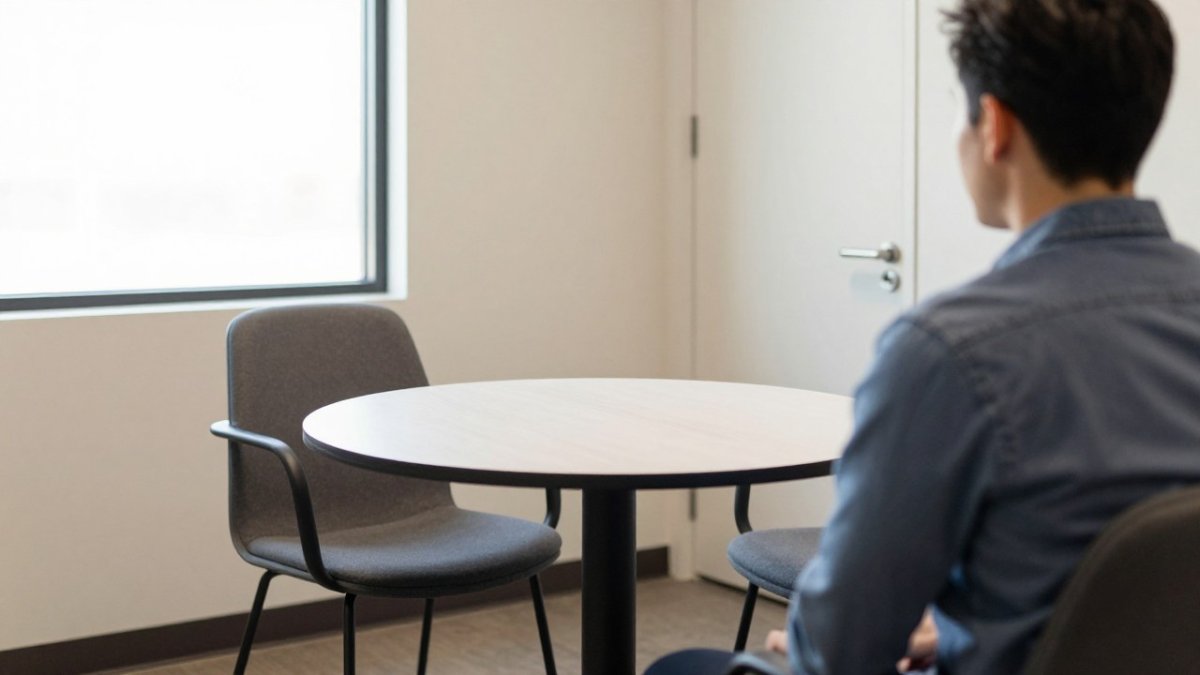
The room should have a closed door, a table sized for the number of attendees, and enough chairs without crowding. Natural light and a comfortable temperature matter more than most people expect. A client who is cold or squinting at a screen is not focused on your advice.
Ask about the room before you commit. Most professionals never do, and it costs them later.
Sound Isolation and Visual Privacy
Sound is the most common failure point. A room with thin walls or a glass partition facing a busy hallway leaks conversation in both directions. Ask whether the walls extend to the ceiling and whether the door seals properly.
Visual privacy matters too. A client discussing sensitive details should not be watched through a glass wall by passersby. Position the table so the screen and the client's paperwork are out of sight from the doorway.
Watch out: a room that sounds quiet during a tour can be loud once a full meeting is underway. Test it with a normal speaking voice before you book.
Comfort, Accessibility and Setup
Look for step-free access, accessible restrooms nearby, and seating that works for clients with mobility needs. An inclusive setup is part of a professional experience, not an extra.
Check the technology as well. Confirm the room has reliable Wi-Fi, a power outlet for each device, and a display if you plan to present. Having these ready before the client arrives keeps the meeting moving.
Meeting Room Booking by the Hour: How It Works
Hourly booking is the default model for client consultations because most sessions run 60 to 90 minutes, not a full day. The mechanics matter more than the rate itself: a room that bills by the hour but cannot be extended, or that charges for a full day when you cancel late, can cost more than a higher hourly rate with flexible terms.
Here is how the model typically works and what to confirm before you reserve.
Minimum booking periods. Many spaces set a one-hour minimum and then bill in 15- or 30-minute increments after that. Ask whether a 90-minute consultation is billed as 90 minutes or rounded up to two hours. The rounding rule is where budgets quietly drift.
Setup and reset time. Your booking window should cover the time you need before the client arrives and after they leave. If the room is booked back-to-back, you may not be able to enter early to arrange seating or test the display. Ask whether setup time is included or billed separately, and whether you can book a 15-minute buffer on either side.
Extension and change rules. Confirm how far in advance you can extend a booking and whether an extension is guaranteed or subject to availability. A consultation that runs long is common; a room that cannot be extended mid-meeting forces you to wrap up early or move.
Cancellation and no-show terms. Ask for the cancellation window in writing. Common patterns range from 24 hours to 48 hours, with late cancellations billed in full or at a partial rate. If your clients sometimes reschedule, a flexible cancellation policy is worth more than a slightly lower hourly rate.
What the rate includes. Confirm whether Wi-Fi, a display, whiteboard use, printing, and water or coffee are included or billed as add-ons. A room that looks inexpensive per hour can cost more once the display and printing are added.
Access and after-hours use. If you need to meet a client early or late, confirm whether the building and the room are accessible outside standard staffed hours and how entry works.
A flexible, hourly workspace setting like the ones offered at Work & Stay shows how this model works in practice, with memberships and day passes that let you book only the time you need. Before you commit, get the start and end time, the cancellation window, and the extension rule in writing, and arrive a few minutes early to set up.
Watch out: low hourly rates can be offset by strict cancellation windows or add-on fees, so compare total costs before you book.
Hourly booking works differently from one space to the next, so these are the terms worth confirming before you reserve.
| Term to confirm | What to check | Why it matters |
|---|---|---|
| Minimum booking period | One-hour minimum, then 15- or 30-minute blocks | Shows whether a 90-minute session is billed as 90 minutes or rounded up |
| Setup and reset time | Whether buffer time is included or billed separately | Lets you arrange seating and test the display before the client arrives |
| Extension rules | How far ahead you can extend, and whether it is guaranteed | Consultations often run long |
| Cancellation window | Common range is 24 to 48 hours | Late cancellations may be billed in full or at a partial rate |
| What the rate includes | Wi-Fi, display, whiteboard, printing, water or coffee | Add-ons can make a low hourly rate cost more |
| After-hours access | Whether the building and room are accessible outside staffed hours | Needed for early or late client meetings |
Client Consultation Checklist for Your Room Setup
Use this checklist before every client meeting:
- Room confirmed for the full booking window, including setup time
- Door closes fully and the room is sound-isolated
- Table, chairs, and seating arranged before the client arrives
- Wi-Fi tested and devices charged
- Printed materials placed face-down or out of view until needed
- Water and a clean surface available
- Phone silenced and notifications off
Walking through this list takes five minutes and prevents most avoidable problems.
Client Meeting Agenda Template and How to Use It
A written agenda sets expectations and keeps the consultation focused. Share it with the client a day ahead, or open the meeting with it.
Client Consultation Agenda Client name: [Name] Date and time: [Date, start to end] Purpose of meeting: [One sentence]
- Introductions and confirming goals (5 minutes)
- Current situation and key questions (15-20 minutes)
- Options and recommendations (20-25 minutes)
- Questions and concerns (10 minutes)
- Next steps and follow-up date (5 minutes)
Adjust the timings to fit your session length. The point is to show the client where the meeting is going and when it will end.
Protecting Client Confidentiality During In-Person Meetings
Confidentiality in a consultation room has three layers: what can be heard, what can be seen, and what is left behind. Most professionals focus on the first and ignore the other two.
What can be heard. Speech privacy depends on wall construction, door seals, and room placement. A room with a solid core door, weatherstripping around the frame, and walls that extend to the ceiling above a drop ceiling keeps normal conversation from carrying into the hallway. A glass partition facing a busy corridor defeats both sound and visual privacy at once. Before you book, stand in the hallway with the door closed and have someone speak at a normal volume inside; if you can make out words, the room is not private enough for a sensitive consultation.
What can be seen. Position the table so the client's back is not to a window or glass wall, and so the screen and paperwork face away from the doorway. Turn the display away from the door when it is not in use, and close laptops or lock screens before the client enters. If the room has a window to the outside, check whether passersby or adjacent buildings can see the table.
What is left behind. Client files should stay closed and face-down when not in use, and notes, devices, and printed materials should never be left unattended, even for a few minutes. Clear the table before you leave, and check that nothing was left in the room, on a shared printer, or in a shared inbox tray.
Who else has access. Staff, other visitors, and cleaning crews can walk past an unlocked room or a forgotten notebook. Ask whether the room locks from the inside, whether housekeeping enters during your booking, and how the space handles lost-and-found items that may contain client information.
Handling sensitive documents. Bring only the files you need for that consultation, keep them in a closed folder or bag, and take them with you when you leave. If you print materials, retrieve them from the printer immediately rather than leaving them in the output tray.
Remote and hybrid attendees. If a client joins by video, confirm the room's audio does not carry into shared areas and that the camera angle does not capture whiteboards, screens, or paperwork with other clients' details. Use headphones when possible, and mute notifications on every device before the call starts.
A simple pre-meeting check. Walk the room before the client arrives: door closes and seals, table positioned for visual privacy, files closed, devices locked, and nothing sensitive visible from the doorway. That two-minute habit protects both you and the client.
Watch out: a room that feels private during a quiet tour can leak conversation once a full meeting is underway, so test it with a normal speaking voice and the door closed before you rely on it for a sensitive consultation.
Book Your Next Client Consultation Space
A private, well-prepared room makes a real difference to how clients experience your work. Choose a space with sound isolation, reliable setup, and flexible booking, then run the same checklist each time.
Visit Play & Stay to learn more about current options, and sign up for your membership today.
Frequently Asked Questions
What should you look for in a private meeting room for a client consultation?
Look for a room with a closed door, sound isolation that keeps conversations from carrying into hallways, and window coverings or placement that blocks visual exposure. Reliable Wi-Fi, a display or screen for shared documents, comfortable seating and easy access for guests with mobility needs all matter. Confirm the room is available for the full time you need and that staff can answer questions about setup before you book a private meeting room for a client consultation.
How do you make a client consultation feel private and professional?
Choose a room with a closed door and limited foot traffic, and arrive early to check that the space is clean and set up. Clear the table of other clients' materials, have your agenda and documents ready, and keep phones silenced. A consistent, calm setup signals that the client's information is handled carefully.
Can you book a private meeting room by the hour?
Many spaces allow hourly booking, which suits short client consultations better than a full-day rental. Check the minimum booking length, how far in advance you can reserve, and whether setup or cleanup time is included. Check the Play & Stay website or contact the team for current options and a quote.